
Every great Android developer Build a To-Do List App in Android Studio with at some point. Not because it’s exciting — but because it forces you to learn the things that actually matter.
User input. Local storage. Reading data back. Updating it. Deleting it. State management. A responsive UI. These are the building blocks of literally every real Android app — and a simple to-do list app in Android Studio puts all of them in one focused project.
By the end of this guide, you’ll have a fully working to-do list app with complete CRUD operations — Create, Read, Update, Delete — backed by Room Database for offline local storage. The data survives app restarts, phone reboots, and everything in between. No internet required. No server. Just your app and the device.
Here’s the tech stack for 2026: Room 2.6.1, KSP (replacing the deprecated kapt), Kotlin Flow for reactive database queries, StateFlow in the ViewModel, and Jetpack Compose for the UI.
Table of Contents
What You’ll Build
A clean, functional to-do list app that:
- Lets users add new tasks with a title and optional note
- Displays all tasks in a scrollable list — automatically updated when the database changes
- Lets users mark tasks as done with a checkbox — persisted to the database
- Lets users delete tasks with a swipe or delete button
- Persists all data locally using Room Database — survives app restarts
- Uses MVVM architecture with ViewModel + StateFlow
- Built entirely with Jetpack Compose and Material 3
Step 1 — Project Setup and Dependencies
Create a new Android project in Android Studio with Kotlin and Jetpack Compose. Then update your app-level build.gradle.kts:
plugins {
    id("com.android.application")
    id("org.jetbrains.kotlin.android")
    id("com.google.devtools.ksp") version "2.1.0-1.0.29" // KSP — replaces kapt
}

dependencies {
    // Room 2.6.1 — 2026 stable
    implementation("androidx.room:room-runtime:2.6.1")
    implementation("androidx.room:room-ktx:2.6.1")     // Kotlin extensions + Flow support
    ksp("androidx.room:room-compiler:2.6.1")            // KSP annotation processor

    // ViewModel + StateFlow
    implementation("androidx.lifecycle:lifecycle-viewmodel-compose:2.8.7")
    implementation("androidx.lifecycle:lifecycle-runtime-ktx:2.8.7")

    // Coroutines
    implementation("org.jetbrains.kotlinx:kotlinx-coroutines-android:1.8.1")
}Important 2026 change: Room now uses KSP (Kotlin Symbol Processing) instead of kapt for annotation processing. KSP is faster, produces cleaner build output, and is the officially recommended approach. If you see kapt in any older tutorial — replace it with ksp. The plugin declaration at the top of build.gradle.kts is required.
In your project-level build.gradle.kts, ensure KSP is in the plugins block:
plugins {
    id("com.google.devtools.ksp") version "2.1.0-1.0.29" apply false
}Step 2 — The Room Database Architecture
Room has three main components that work together. Understanding what each one does before writing code makes everything click.
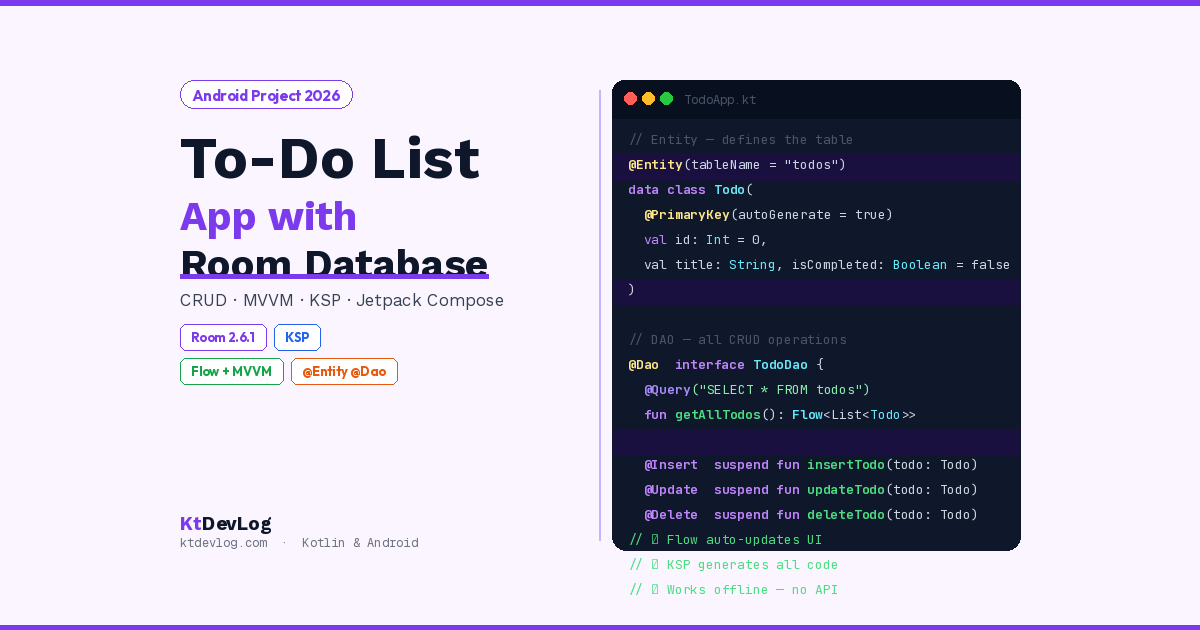
Entity — a Kotlin data class annotated with @Entity. Each Entity becomes a table in your database. Each property becomes a column.
DAO (Data Access Object) — an interface annotated with @Dao. It contains the SQL queries for your CRUD operations, written as Kotlin suspend functions or Flow-returning functions.
Database — an abstract class annotated with @Database. It’s the main access point to your database — it holds the Entities and gives you access to the DAOs.
Your App Code
     ↓
ViewModel (calls DAO methods)
     ↓
DAO (SQL queries) → Room → SQLite Database
     ↑
Entity (data structure / table definition)
Step 3 — Entity: Define the Todo Table
// Todo.kt
import androidx.room.Entity
import androidx.room.PrimaryKey

@Entity(tableName = "todos")
data class Todo(
    @PrimaryKey(autoGenerate = true)
    val id: Int = 0,
    val title: String,
    val note: String = "",
    val isCompleted: Boolean = false,
    val createdAt: Long = System.currentTimeMillis()
)@Entity(tableName = "todos") — tells Room this data class is a database table named todos.
@PrimaryKey(autoGenerate = true) — Room generates a unique ID for each row automatically. Starting at id = 0 tells Room to treat this as unset and generate a new one on insert.
createdAt: Long = System.currentTimeMillis() — storing creation timestamp as a Long (milliseconds since epoch) is the standard approach. It allows sorting by newest first and displaying relative time later without any type converters.
Step 4 — DAO: All CRUD Operations
The DAO is where all your database operations live. Notice that every function that reads data returns a Flow — this is the key to reactive UI updates in 2026.
// TodoDao.kt
import androidx.room.*
import kotlinx.coroutines.flow.Flow

@Dao
interface TodoDao {

    // READ — returns Flow so UI updates automatically when data changes
    @Query("SELECT * FROM todos ORDER BY createdAt DESC")
    fun getAllTodos(): Flow<List<Todo>>

    // READ — get single todo by ID (for edit screen)
    @Query("SELECT * FROM todos WHERE id = :id")
    suspend fun getTodoById(id: Int): Todo?

    // CREATE
    @Insert(onConflict = OnConflictStrategy.REPLACE)
    suspend fun insertTodo(todo: Todo)

    // UPDATE
    @Update
    suspend fun updateTodo(todo: Todo)

    // DELETE — specific item
    @Delete
    suspend fun deleteTodo(todo: Todo)

    // DELETE — all completed tasks (useful "clear done" action)
    @Query("DELETE FROM todos WHERE isCompleted = 1")
    suspend fun deleteCompletedTodos()
}
The most important detail: getAllTodos() returns Flow<List<Todo>> — not a List<Todo>. This is a Kotlin Flow that emits a new list every time the database changes. When you insert a task, the Flow automatically emits the updated list. When you delete one, it emits again. Your UI reacts to these emissions — you never have to manually refresh or re-query.
suspend fun on all write operations means they must be called from a coroutine — which your ViewModel handles through viewModelScope.launch. Room enforces this — it will not let you call database write operations on the main thread.
Step 5 — Database Class
// TodoDatabase.kt
import android.content.Context
import androidx.room.Database
import androidx.room.Room
import androidx.room.RoomDatabase

@Database(
    entities = [Todo::class],
    version = 1,
    exportSchema = false
)
abstract class TodoDatabase : RoomDatabase() {

    abstract fun todoDao(): TodoDao

    companion object {
        @Volatile
        private var INSTANCE: TodoDatabase? = null

        fun getDatabase(context: Context): TodoDatabase {
            return INSTANCE ?: synchronized(this) {
                val instance = Room.databaseBuilder(
                    context.applicationContext,
                    TodoDatabase::class.java,
                    "todo_database"
                ).build()
                INSTANCE = instance
                instance
            }
        }
    }
}
@Volatile on INSTANCE ensures changes are immediately visible to all threads — critical for the singleton pattern.
synchronized(this) prevents two threads from simultaneously creating the database if the instance is null — a thread safety pattern called double-checked locking.
exportSchema = false suppresses a warning about not exporting the database schema to a file. For a production app, you’d set this to true and configure the schema export directory — but for this project false keeps things clean.
Step 6 — Repository
The repository sits between the ViewModel and the DAO, providing a clean API that the ViewModel calls without knowing anything about Room directly:
// TodoRepository.kt
import kotlinx.coroutines.flow.Flow

class TodoRepository(private val dao: TodoDao) {

    val allTodos: Flow<List<Todo>> = dao.getAllTodos()

    suspend fun insert(todo: Todo)  = dao.insertTodo(todo)
    suspend fun update(todo: Todo)  = dao.updateTodo(todo)
    suspend fun delete(todo: Todo)  = dao.deleteTodo(todo)
    suspend fun clearCompleted()    = dao.deleteCompletedTodos()
}Clean and minimal. The repository doesn’t add logic here — it just provides a stable interface. In a larger app, this is where you’d add caching logic, combine multiple data sources, or add business rules. For this project, it keeps the ViewModel decoupled from Room.
Step 7 — ViewModel With StateFlow
// TodoViewModel.kt
import androidx.lifecycle.ViewModel
import androidx.lifecycle.viewModelScope
import kotlinx.coroutines.flow.*
import kotlinx.coroutines.launch

class TodoViewModel(private val repository: TodoRepository) : ViewModel() {

    // Convert repository Flow to StateFlow for Compose
    val todos: StateFlow<List<Todo>> = repository.allTodos
        .stateIn(
            scope         = viewModelScope,
            started       = SharingStarted.WhileSubscribed(5_000),
            initialValue  = emptyList()
        )

    // UI state for the add/edit dialog
    private val _showAddDialog = MutableStateFlow(false)
    val showAddDialog: StateFlow<Boolean> = _showAddDialog

    fun openAddDialog()  { _showAddDialog.value = true }
    fun closeAddDialog() { _showAddDialog.value = false }

    fun addTodo(title: String, note: String) {
        if (title.isBlank()) return
        viewModelScope.launch {
            repository.insert(
                Todo(title = title.trim(), note = note.trim())
            )
        }
        closeAddDialog()
    }

    fun toggleComplete(todo: Todo) {
        viewModelScope.launch {
            repository.update(todo.copy(isCompleted = !todo.isCompleted))
        }
    }

    fun deleteTodo(todo: Todo) {
        viewModelScope.launch {
            repository.delete(todo)
        }
    }

    fun clearCompleted() {
        viewModelScope.launch {
            repository.clearCompleted()
        }
    }
}The .stateIn() call converts the cold Flow<List<Todo>> from the repository into a hot StateFlow that Compose can collect. SharingStarted.WhileSubscribed(5_000) keeps the upstream Flow active for 5 seconds after the last subscriber — this handles configuration changes like screen rotation without restarting the database query.
Step 8 — ViewModel Factory
Since TodoViewModel requires a constructor parameter (repository), you need a factory:
// TodoViewModelFactory.kt
import androidx.lifecycle.ViewModel
import androidx.lifecycle.ViewModelProvider

class TodoViewModelFactory(
    private val repository: TodoRepository
) : ViewModelProvider.Factory {

    @Suppress("UNCHECKED_CAST")
    override fun <T : ViewModel> create(modelClass: Class<T>): T {
        if (modelClass.isAssignableFrom(TodoViewModel::class.java)) {
            return TodoViewModel(repository) as T
        }
        throw IllegalArgumentException("Unknown ViewModel class")
    }
}Step 9 — Jetpack Compose UI
Todo Item Composable
@Composable
fun TodoItem(
    todo: Todo,
    onToggleComplete: (Todo) -> Unit,
    onDelete: (Todo) -> Unit
) {
    Card(
        modifier = Modifier
            .fillMaxWidth()
            .padding(horizontal = 16.dp, vertical = 4.dp),
        shape = RoundedCornerShape(12.dp),
        elevation = CardDefaults.cardElevation(defaultElevation = 2.dp)
    ) {
        Row(
            modifier = Modifier
                .fillMaxWidth()
                .padding(16.dp),
            verticalAlignment = Alignment.CenterVertically,
            horizontalArrangement = Arrangement.spacedBy(12.dp)
        ) {
            // Checkbox
            Checkbox(
                checked = todo.isCompleted,
                onCheckedChange = { onToggleComplete(todo) },
                colors = CheckboxDefaults.colors(
                    checkedColor = Color(0xFF7C3AED)
                )
            )

            // Text content
            Column(modifier = Modifier.weight(1f)) {
                Text(
                    text = todo.title,
                    fontSize = 16.sp,
                    fontWeight = FontWeight.Medium,
                    textDecoration = if (todo.isCompleted)
                        TextDecoration.LineThrough else TextDecoration.None,
                    color = if (todo.isCompleted) Color.Gray else Color(0xFF1E293B)
                )
                if (todo.note.isNotBlank()) {
                    Text(
                        text = todo.note,
                        fontSize = 13.sp,
                        color = Color(0xFF94A3B8),
                        maxLines = 2,
                        overflow = TextOverflow.Ellipsis
                    )
                }
            }

            // Delete button
            IconButton(onClick = { onDelete(todo) }) {
                Icon(
                    imageVector = Icons.Default.Delete,
                    contentDescription = "Delete task",
                    tint = Color(0xFFEF5350)
                )
            }
        }
    }
}The TextDecoration.LineThrough on completed tasks is a polished detail — it visually confirms the task is done without removing it from the list immediately.
Add Task Dialog
@Composable
fun AddTodoDialog(
    onDismiss: () -> Unit,
    onConfirm: (title: String, note: String) -> Unit
) {
    var title by remember { mutableStateOf("") }
    var note  by remember { mutableStateOf("") }
    val focusManager = LocalFocusManager.current

    AlertDialog(
        onDismissRequest = onDismiss,
        title = { Text("New Task") },
        text = {
            Column(verticalArrangement = Arrangement.spacedBy(12.dp)) {
                OutlinedTextField(
                    value = title,
                    onValueChange = { title = it },
                    label = { Text("Task title *") },
                    singleLine = true,
                    modifier = Modifier.fillMaxWidth(),
                    keyboardOptions = KeyboardOptions(imeAction = ImeAction.Next),
                    keyboardActions = KeyboardActions(
                        onNext = { focusManager.moveFocus(FocusDirection.Down) }
                    )
                )
                OutlinedTextField(
                    value = note,
                    onValueChange = { note = it },
                    label = { Text("Note (optional)") },
                    maxLines = 3,
                    modifier = Modifier.fillMaxWidth(),
                    keyboardOptions = KeyboardOptions(imeAction = ImeAction.Done),
                    keyboardActions = KeyboardActions(
                        onDone = {
                            focusManager.clearFocus()
                            if (title.isNotBlank()) onConfirm(title, note)
                        }
                    )
                )
            }
        },
        confirmButton = {
            TextButton(
                onClick = { if (title.isNotBlank()) onConfirm(title, note) },
                enabled = title.isNotBlank()
            ) {
                Text("Add Task")
            }
        },
        dismissButton = {
            TextButton(onClick = onDismiss) {
                Text("Cancel")
            }
        }
    )
}
Main Screen
@Composable
fun TodoScreen(viewModel: TodoViewModel) {
    val todos         by viewModel.todos.collectAsStateWithLifecycle()
    val showDialog    by viewModel.showAddDialog.collectAsStateWithLifecycle()

    val completedCount  = todos.count { it.isCompleted }
    val pendingCount    = todos.count { !it.isCompleted }

    Scaffold(
        topBar = {
            TopAppBar(
                title = { Text("My Tasks") },
                actions = {
                    if (completedCount > 0) {
                        TextButton(onClick = { viewModel.clearCompleted() }) {
                            Text("Clear done ($completedCount)", color = Color.White)
                        }
                    }
                },
                colors = TopAppBarDefaults.topAppBarColors(
                    containerColor    = Color(0xFF7C3AED),
                    titleContentColor = Color.White,
                    actionIconContentColor = Color.White
                )
            )
        },
        floatingActionButton = {
            FloatingActionButton(
                onClick = { viewModel.openAddDialog() },
                containerColor = Color(0xFF7C3AED),
                contentColor   = Color.White
            ) {
                Icon(Icons.Default.Add, contentDescription = "Add task")
            }
        }
    ) { innerPadding ->
        Column(
            modifier = Modifier
                .fillMaxSize()
                .padding(innerPadding)
        ) {
            // Summary bar
            if (todos.isNotEmpty()) {
                Surface(color = Color(0xFFF1F5F9)) {
                    Row(
                        modifier = Modifier
                            .fillMaxWidth()
                            .padding(horizontal = 16.dp, vertical = 10.dp),
                        horizontalArrangement = Arrangement.SpaceBetween
                    ) {
                        Text("$pendingCount pending", fontSize = 13.sp, color = Color(0xFF64748B))
                        Text("$completedCount done",  fontSize = 13.sp, color = Color(0xFF16A34A))
                    }
                }
            }

            if (todos.isEmpty()) {
                // Empty state
                Box(
                    modifier = Modifier.fillMaxSize(),
                    contentAlignment = Alignment.Center
                ) {
                    Column(horizontalAlignment = Alignment.CenterHorizontally) {
                        Text("No tasks yet", fontSize = 20.sp, fontWeight = FontWeight.Bold)
                        Spacer(modifier = Modifier.height(8.dp))
                        Text(
                            "Tap + to add your first task",
                            fontSize = 14.sp,
                            color = Color.Gray
                        )
                    }
                }
            } else {
                LazyColumn(
                    contentPadding = PaddingValues(vertical = 8.dp),
                    verticalArrangement = Arrangement.spacedBy(4.dp)
                ) {
                    items(
                        items = todos,
                        key   = { it.id }       // Stable key for animations
                    ) { todo ->
                        TodoItem(
                            todo            = todo,
                            onToggleComplete = { viewModel.toggleComplete(it) },
                            onDelete        = { viewModel.deleteTodo(it) }
                        )
                    }
                }
            }
        }
    }

    if (showDialog) {
        AddTodoDialog(
            onDismiss = { viewModel.closeAddDialog() },
            onConfirm = { title, note -> viewModel.addTodo(title, note) }
        )
    }
}
Step 10 — Wire Everything in MainActivity
class MainActivity : ComponentActivity() {
    private val database by lazy { TodoDatabase.getDatabase(this) }
    private val repository by lazy { TodoRepository(database.todoDao()) }
    private val viewModel: TodoViewModel by viewModels {
        TodoViewModelFactory(repository)
    }

    override fun onCreate(savedInstanceState: Bundle?) {
        super.onCreate(savedInstanceState)
        enableEdgeToEdge()
        setContent {
            MaterialTheme {
                TodoScreen(viewModel = viewModel)
            }
        }
    }
}
Run the app. Add a task. Close the app completely. Reopen it. Your task is still there — stored in Room’s SQLite database, persisted to the device storage.
How Room’s Flow Integration Works
Here’s the insight that makes the whole app feel reactive without any manual refresh code:
User taps "Add Task"
    ↓
ViewModel.addTodo() → repository.insert(todo) → dao.insertTodo(todo)
    ↓
Room writes to SQLite database
    ↓
Room detects table change
    ↓
getAllTodos() Flow emits updated List<Todo>
    ↓
StateFlow in ViewModel receives new list
    ↓
Compose recomposes TodoScreen automatically
    ↓
User sees the new task appear instantly
No manual re-querying. No notify calls. No refresh button. The Flow<List<Todo>> from the DAO is a live pipeline — any write to the todos table automatically triggers a new emission. This is why Room’s Flow integration is so powerful for building reactive Android UIs. It connects naturally to the Kotlin StateFlow and SharedFlow patterns used throughout modern Android development.
Common Room Mistakes to Avoid
Using kapt instead of ksp in 2026. kapt is deprecated for Room. Always use ksp("androidx.room:room-compiler:2.6.1"). If you’re seeing slow build times on an older project, switching from kapt to KSP alone can cut annotation processing time by 50-80%.
Calling database operations on the main thread. Room throws IllegalStateException if you attempt a database write on the main thread. Always use viewModelScope.launch in your ViewModel. Never use runBlocking to force a database call on the main thread — it blocks the UI thread and causes jank.
Forgetting the key parameter in LazyColumn. Without key = { it.id }, Room’s list updates cause the entire list to recompose on every change. With a stable key, only the changed item recomposes. Always use entity IDs as LazyColumn keys.
Incrementing the database version without a migration. When you change your Todo entity — adding a column, renaming one — you must increment version in @Database. If you don’t provide a migration strategy, Room throws IllegalStateException. For development, fallbackToDestructiveMigration() drops and recreates the database. For production, write a proper Migration object.
// Development only — destroys data on schema change
Room.databaseBuilder(context, TodoDatabase::class.java, "todo_database")
    .fallbackToDestructiveMigration()
.build()Frequently Asked Questions
Room Database Basics
What is Room Database in Android and why use it?
Room is Google’s official database library for Android — an abstraction layer over SQLite that adds compile-time query verification, Kotlin coroutine support, and Flow integration. It’s part of Jetpack and is the recommended local storage solution for most Android apps in 2026. Unlike raw SQLite, Room catches SQL errors at compile time, integrates natively with Kotlin’s type system, and works seamlessly with Kotlin Flow for reactive UI updates.
What is KSP and why does Room use it instead of kapt in 2026?
KSP (Kotlin Symbol Processing) is a faster, Kotlin-first annotation processing API that replaces kapt for Room in 2026. It processes annotations at compile time — generating the Room implementation classes — but does so 2-3x faster than kapt and produces cleaner build output. All new Room projects should use ksp("androidx.room:room-compiler:...") in build.gradle.kts instead of kapt.
CRUD and Architecture
How does Flow make Room reactive in Jetpack Compose?
When a DAO function returns Flow<List<Todo>>, Room keeps an active observer on the queried database table. Every time a write operation changes that table — insert, update, or delete — Room emits a new list through the Flow automatically. Your ViewModel converts this to a StateFlow using .stateIn(), and Compose collects it with collectAsStateWithLifecycle(). The result: the UI updates instantly on every database change with no manual refresh code.
What is the difference between @Insert, @Update, and @Delete in Room?
@Insert adds a new row to the database. @Update modifies an existing row matched by primary key. @Delete removes a row matched by primary key. For the to-do app’s toggle-complete feature, @Update is used — the ViewModel calls todo.copy(isCompleted = !todo.isCompleted) to create a new copy of the data class with the field flipped, then passes it to dao.updateTodo(). Room matches it to the database row by id and updates only that row.
What happens if I change the Todo entity after releasing the app?
You must increment the version number in @Database and provide a Migration that tells Room how to transform the existing database schema. Without a migration, Room throws IllegalStateException at launch. During development, fallbackToDestructiveMigration() is acceptable — it drops and recreates the database. For a production app with real user data, always write a proper Migration object that uses ALTER TABLE to add columns or create new tables.
Conclusion
A simple to-do list app in Android Studio covers more ground than almost any other beginner project. Room Database teaches you local persistence. Flow and StateFlow teach you reactive state. MVVM teaches you clean architecture. Jetpack Compose brings it all together into a UI that feels immediate and responsive.
Every piece you built here scales directly to real-world apps. The @Entity → @Dao → @Database → Repository → ViewModel → Compose pattern is how professional Android developers structure data-driven screens regardless of complexity. The to-do list just happens to be the perfect size to see the whole pattern clearly.
From here, extend the app: add due dates with a date picker, add priority levels with an enum, or filter tasks by status. Each addition is one new column in your entity, one new query in your DAO, one new parameter in your ViewModel. The architecture you’ve built handles all of it.
For a deeper understanding of how the Flow coming out of Room connects to your UI, the Kotlin Coroutines vs Threads guide explains exactly why Room requires coroutines and how the threading model keeps your UI smooth.
The best app to build is the one you’ll actually finish. A to-do list is simple enough to complete — and deep enough to teach you everything.