

You’ve got your Kotlin Multiplatform project set up. The shared module is wired. Your commonMain is ready. And now you need to make your first API call.
Your first instinct? Reach for Retrofit. It’s what you know. It’s what you’ve used on every Android project for years.
Here’s the problem — Retrofit doesn’t work in commonMain. It’s Android-only. The moment you try to add it to shared code, the build fails. And that’s where most developers get stuck.




The answer is Ktor — JetBrains’ own async HTTP client built from the ground up for Kotlin Multiplatform. One setup, one API, shared networking code that runs natively on both Android and iOS. This guide shows you exactly how to set it up, configure it properly, and make your first real API calls — step by step, with production-ready code.
Table of Contents
Why Ktor and Not Retrofit for KMP
If you’re coming from Android-only development, this question is fair. Retrofit is excellent. So why switch?
The answer is simple: Retrofit cannot run in commonMain. It depends on Java reflection and OkHttp — neither of which is available on iOS. You can still use Retrofit in your androidMain source set, but then you’re writing networking code twice — once for Android, once for iOS. That defeats the entire point of KMP.
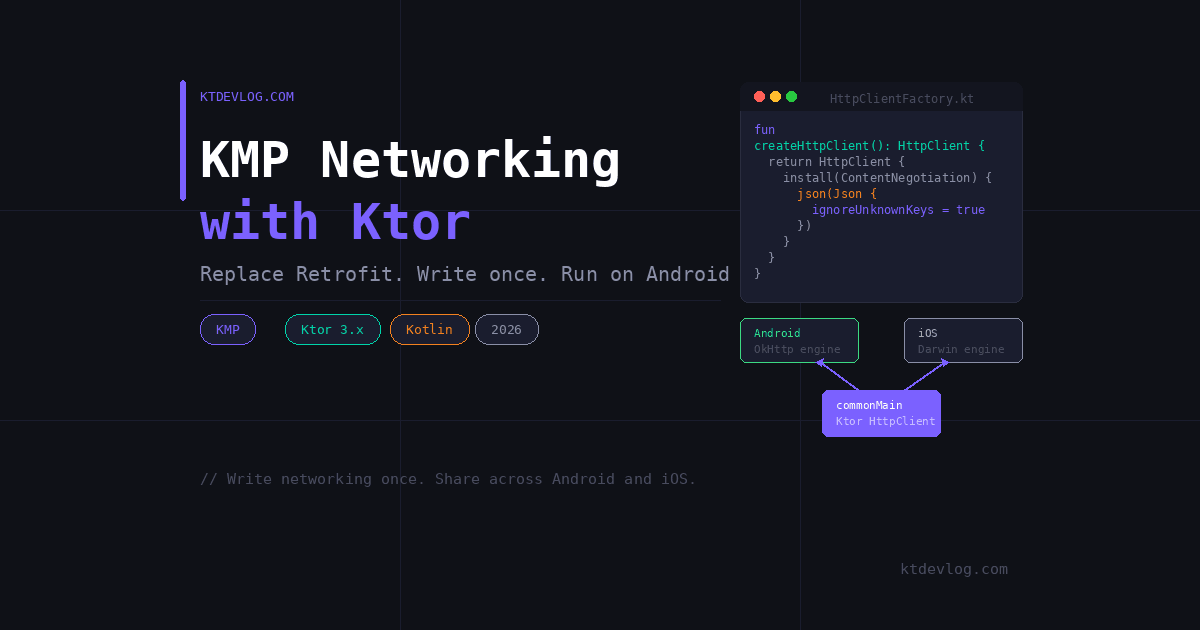
Ktor solves this by using a platform-native engine per platform under one shared API:
- Android → OkHttp engine (battle-tested, performant)
- iOS → Darwin engine (backed by
NSURLSession, fully native)
You write your HttpClient configuration once in commonMain. Ktor handles the platform differences internally. The result is a single networking layer that compiles and runs natively on both platforms — no duplication, no wrappers, no compromises.
Ktor is maintained by JetBrains, updated in sync with Kotlin releases, and used in production by companies like Netflix and Cash App running KMP at scale. As of 2026, Ktor 3.x is the stable, actively maintained version — version 3.1.3 is the current release with improved multiplatform support across all targets.
Setting Up Ktor Dependencies in KMP
Before writing a single line of networking code, you need the right dependencies. Open your gradle/libs.versions.toml file and add the Ktor version and libraries:
[versions]
ktor = "3.1.3"

[libraries]
ktor-client-core              = { module = "io.ktor:ktor-client-core", version.ref = "ktor" }
ktor-client-okhttp            = { module = "io.ktor:ktor-client-okhttp", version.ref = "ktor" }
ktor-client-darwin            = { module = "io.ktor:ktor-client-darwin", version.ref = "ktor" }
ktor-client-content-negotiation = { module = "io.ktor:ktor-client-content-negotiation", version.ref = "ktor" }
ktor-serialization-kotlinx-json = { module = "io.ktor:ktor-serialization-kotlinx-json", version.ref = "ktor" }
ktor-client-logging = { module = "io.ktor:ktor-client-logging", version.ref = "ktor" }Now open your shared module’s build.gradle.kts and wire them into the correct source sets:
kotlin {
    sourceSets {
        commonMain.dependencies {
            implementation(libs.ktor.client.core)
            implementation(libs.ktor.client.content.negotiation)
            implementation(libs.ktor.serialization.kotlinx.json)
            implementation(libs.ktor.client.logging)
        }
        androidMain.dependencies {
            implementation(libs.ktor.client.okhttp)
        }
        iosMain.dependencies {
            implementation(libs.ktor.client.darwin)
        }
    }
}Notice the pattern: ktor-client-core goes in commonMain — that’s the shared API you’ll write against. The engines (okhttp and darwin) go in their platform-specific source sets. This is the correct structure every time.
Don’t forget to add the kotlinx.serialization plugin to your shared build.gradle.kts plugins block if you haven’t already:
plugins {
    kotlin("plugin.serialization")
}Sync Gradle. If it builds clean, you’re ready.
Building a Shared HttpClient in commonMain
This is the most important part — and where most tutorials give you a version that works for demos but breaks in production.
Here’s a properly configured HttpClient that lives entirely in commonMain:
// shared/src/commonMain/kotlin/com/ktdevlog/network/HttpClientFactory.kt

import io.ktor.client.HttpClient
import io.ktor.client.plugins.contentnegotiation.ContentNegotiation
import io.ktor.client.plugins.logging.LogLevel
import io.ktor.client.plugins.logging.Logger
import io.ktor.client.plugins.logging.Logging
import io.ktor.serialization.kotlinx.json.json
import kotlinx.serialization.json.Json

fun createHttpClient(): HttpClient {
    return HttpClient {
        install(ContentNegotiation) {
            json(Json {
                ignoreUnknownKeys = true   // handles extra API fields gracefully
                isLenient = true           // tolerates minor JSON formatting issues
            })
        }
        install(Logging) {
            logger = Logger.DEFAULT
            level = LogLevel.HEADERS       // use LogLevel.BODY for debugging, NONE for release
        }
    }
}ignoreUnknownKeys = true is not optional in real projects. APIs change. New fields get added. Without this, your app crashes the moment the backend adds a field you haven’t modelled yet. Always include it.
The Logging plugin is invaluable during development — it prints every request and response header to the console. Switch it to LogLevel.NONE before releasing to production.
Using expect/actual for the Engine
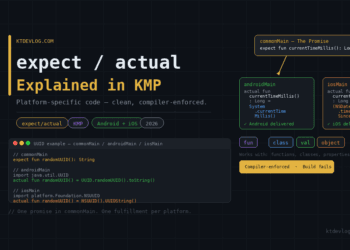
The HttpClient {} block above works in commonMain, but it needs an engine. The cleanest way to provide one per platform is with expect/actual:
// commonMain
expect fun createHttpClient(): HttpClient
// androidMain
import io.ktor.client.engine.okhttp.OkHttp
actual fun createHttpClient(): HttpClient = HttpClient(OkHttp) {
install(ContentNegotiation) {
json(Json { ignoreUnknownKeys = true })
}
install(Logging) {
logger = Logger.DEFAULT
level = LogLevel.HEADERS
}
}// iosMain
import io.ktor.client.engine.darwin.Darwin
actual fun createHttpClient(): HttpClient = HttpClient(Darwin) {
install(ContentNegotiation) {
json(Json { ignoreUnknownKeys = true })
}
install(Logging) {
logger = Logger.DEFAULT
level = LogLevel.HEADERS
}
}Yes, there’s some repetition in the plugin configuration — but it gives you full engine-level control per platform, which matters when your Android or iOS app needs platform-specific socket or session configuration later.
Making API Calls — GET, POST with Real Code
With the client set up, making API calls is clean and straightforward. Here’s a real-world example using a public REST API.
First, define your data model with @Serializable:
// shared/src/commonMain/kotlin/com/ktdevlog/model/Post.kt

import kotlinx.serialization.Serializable

@Serializable
data class Post(
    val id: Int,
    val userId: Int,
    val title: String,
    val body: String
)Now build a repository in commonMain that makes actual API calls:
// shared/src/commonMain/kotlin/com/ktdevlog/network/PostRepository.kt

import io.ktor.client.call.body
import io.ktor.client.request.get
import io.ktor.client.request.post
import io.ktor.client.request.setBody
import io.ktor.http.ContentType
import io.ktor.http.contentType

class PostRepository(private val client: HttpClient) {

    private val baseUrl = "https://jsonplaceholder.typicode.com"

    // GET — fetch a list
    suspend fun getPosts(): List<Post> {
        return client.get("$baseUrl/posts").body()
    }

    // GET — fetch by ID
    suspend fun getPost(id: Int): Post {
        return client.get("$baseUrl/posts/$id").body()
    }

    // POST — send data
    suspend fun createPost(post: Post): Post {
        return client.post("$baseUrl/posts") {
            contentType(ContentType.Application.Json)
            setBody(post)
        }.body()
    }
}The .body<T>() function is Ktor’s equivalent of Retrofit’s response type — it deserializes the JSON response directly into your data class using the ContentNegotiation plugin you installed earlier. Clean, concise, and fully type-safe.
Handling Errors the Right Way
This is the part most tutorials skip — and it’s the part that matters most in production.
Ktor does not throw exceptions for non-2xx responses by default (unlike Retrofit). You need to handle errors explicitly:
import io.ktor.client.plugins.ResponseException
import io.ktor.http.HttpStatusCode

suspend fun getPostSafely(id: Int): Result<Post> {
    return try {
        val post = client.get("$baseUrl/posts/$id").body<Post>()
        Result.success(post)
    } catch (e: ResponseException) {
        when (e.response.status) {
            HttpStatusCode.NotFound    -> Result.failure(Exception("Post not found"))
            HttpStatusCode.Unauthorized -> Result.failure(Exception("Not authorized"))
            else -> Result.failure(Exception("Server error: ${e.response.status}"))
        }
    } catch (e: Exception) {
        Result.failure(Exception("Network error: ${e.message}"))
    }
}Wrapping responses in Result<T> is the clean KMP pattern — it works identically on Android and iOS and integrates naturally with Kotlin’s coroutines and Flow.
Connecting Ktor to Your ViewModel
The networking layer is shared. Now you need to surface it to your UI. Here’s how to connect PostRepository to a ViewModel using StateFlow — which works in commonMain and is observable from both Jetpack Compose and SwiftUI:
// shared/src/commonMain/kotlin/com/ktdevlog/viewmodel/PostViewModel.kt

import kotlinx.coroutines.CoroutineScope
import kotlinx.coroutines.Dispatchers
import kotlinx.coroutines.flow.MutableStateFlow
import kotlinx.coroutines.flow.StateFlow
import kotlinx.coroutines.launch

class PostViewModel(private val repository: PostRepository) {

    private val scope = CoroutineScope(Dispatchers.Default)

    private val _posts = MutableStateFlow<List<Post>>(emptyList())
    val posts: StateFlow<List<Post>> = _posts

    private val _isLoading = MutableStateFlow(false)
    val isLoading: StateFlow<Boolean> = _isLoading

    private val _error = MutableStateFlow<String?>(null)
    val error: StateFlow<String?> = _error

    fun loadPosts() {
        scope.launch {
            _isLoading.value = true
            _error.value = null
            try {
                _posts.value = repository.getPosts()
            } catch (e: Exception) {
                _error.value = e.message
            } finally {
                _isLoading.value = false
            }
        }
    }
}On Android, collect posts using collectAsStateWithLifecycle() inside your Jetpack Compose screen. On iOS, observe the StateFlow through a Swift wrapper using @StateObject. The business logic — the loading, error handling, data fetching — is written once and shared across both platforms.
Retrofit vs Ktor in KMP: Quick Comparison
| Feature | Retrofit | Ktor |
|---|---|---|
Works in commonMain | ❌ No | ✅ Yes |
| Android support | ✅ Native | ✅ OkHttp engine |
| iOS support | ❌ Not available | ✅ Darwin engine |
| JSON serialization | Gson / Moshi | kotlinx.serialization |
| Coroutines support | ✅ Via adapter | ✅ Built-in suspend |
| Logging plugin | OkHttp interceptor | ✅ Built-in plugin |
| Multiplatform-first | ❌ No | ✅ Yes |
| Maintained by | Square | JetBrains |
The table tells the story. Retrofit is a great library — for Android-only apps. The moment you need shared networking in KMP, Ktor is the only production-ready choice.
Frequently Asked Questions
Can I use Retrofit and Ktor together in a KMP project?
Yes — but only in separate source sets. You can use Retrofit in androidMain for Android-specific code and Ktor in commonMain for shared networking. In practice though, most teams migrate fully to Ktor because maintaining two HTTP stacks defeats the purpose of KMP. The cleaner approach is Ktor everywhere.
Do I need to close the HttpClient after use?
Yes. HttpClient holds resources including connection pools and engine threads. Call client.close() when the client is no longer needed — typically when your ViewModel or repository is cleared. In a long-running app, create one shared HttpClient instance and reuse it throughout the app’s lifetime rather than creating and closing one per request.
What is the difference between OkHttp and Darwin engines in Ktor?
Both are production-grade engines. OkHttp is used on Android and is backed by Square’s battle-tested HTTP client. Darwin is used on iOS and is backed by Apple’s NSURLSession — the same networking layer iOS apps use natively. Both engines give you platform-native performance without any extra configuration. The expect/actual pattern handles switching between them automatically.
Why does my Ktor response body parse incorrectly?
The most common cause is a missing @Serializable annotation on your data class, or the kotlinx.serialization Gradle plugin not being applied to the shared module. Check that plugin.serialization is in your plugins block and every model class has @Serializable. Also make sure ignoreUnknownKeys = true is set in your Json configuration — without it, any extra field from the API causes a parsing crash.
How do I add authentication headers to every Ktor request?
Use Ktor’s defaultRequest plugin to attach headers globally:
HttpClient {
    defaultRequest {
        header("Authorization", "Bearer $token")
        header("X-Api-Key", "your-api-key")
    }
}This runs before every request automatically — no need to add headers manually to each call.
Conclusion
Retrofit is a great library. But it ends at the Android boundary. The moment your app needs to run on both Android and iOS from a shared codebase, Ktor is the correct tool — and now you know exactly how to use it.
One HttpClient setup in commonMain. One repository with shared suspend functions. One ViewModel with StateFlow. Everything runs natively on both platforms without a single line of platform-specific networking code.
That’s the power of KMP networking with Ktor — write once, run everywhere, perform natively.
The next step is making this networking layer production-ready with token refresh, retry logic, and offline caching with SQLDelight. Check out the Android App Bundle vs APK guide when you’re ready to ship — and the Kotlin Multiplatform vs Flutter comparison if you’re still deciding on your cross-platform strategy.
Your networking layer is the foundation everything else is built on. Build it shared, build it clean, build it once.

Comments 1