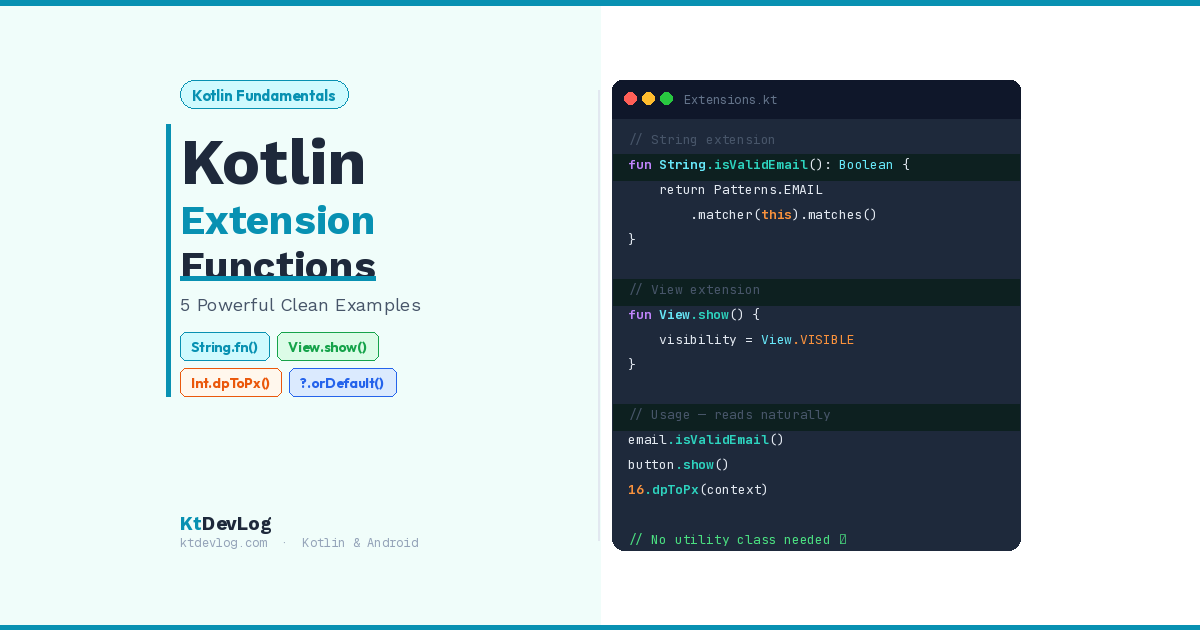

Kotlin extension functions example — that’s what you searched for, and that’s exactly what you’ll get here.
But before the code, picture this. You’re scrolling through your Android project and you spot it — a Utils.kt file with thirty static helper functions nobody can find, nobody remembers writing, and everybody is too scared to delete. Email validators. View toggles. Number formatters. All crammed into one file that grows a little bigger every week.
Kotlin has a much better solution. It’s called an extension function, and it lets you add brand new functions to any existing class — String, View, Int, even classes from third-party libraries — without ever touching their original source code. No inheritance. No utility classes. No mess.




In this guide, you’ll learn exactly how Kotlin extension functions work, see 5 practical real-world examples used in everyday Android development, and understand when to use them — and when to stop.
Table of Contents
What Is a Kotlin Extension Function?
A Kotlin extension function is a function you define outside a class that can be called as if it were a member of that class.
That sounds simple, and honestly — it is. The power is in what it enables. According to the official Kotlin documentation, extensions let you extend a class with new functionality without using inheritance or design patterns like Decorator.
Here’s the syntax:
fun ClassName.yourFunctionName(): ReturnType {
    // 'this' refers to the instance the function is called on
}The ClassName before the dot is called the receiver type. Inside the function, this refers to the actual object the function gets called on. That’s the entire mechanism.
Let me show you the difference in practice. Without an extension function:
// Static utility — you have to know where this function lives
val result = StringUtils.isValidEmail(userInput)With a Kotlin extension function:
// Extension — reads like it belongs to the String class
val result = userInput.isValidEmail()Same logic. Completely different readability. The second version tells you exactly what’s happening just by reading it left to right. That’s the whole point.
Kotlin Extension Functions Example 1: String Validation
The most common Kotlin extension function example you’ll find in real Android projects is a String validator. Every app with a login screen needs email validation. Without extensions, you end up calling a static utility function and passing the string in as a parameter.
Here’s the clean way:
// StringExtensions.kt
fun String.isValidEmail(): Boolean {
    return android.util.Patterns.EMAIL_ADDRESS.matcher(this).matches()
}
// Usage in your Activity or ViewModel
if (userInput.isValidEmail()) {
proceedWithLogin()
} else {
showError("Please enter a valid email")
}// Output when tested:
"sharif@ktdevlog.com".isValidEmail() → true
"not-an-email".isValidEmail() → false
One extension. Reusable across every screen in your app. Your IDE autocompletes it like a built-in method.
Kotlin Extension Functions Example 2: View Visibility Made Simple
If there’s one Kotlin extension function example that every Android developer should have in their project, it’s View visibility control.
Every Android developer has typed this at least a hundred times:
myButton.visibility = View.VISIBLE
myProgressBar.visibility = View.GONE
errorMessage.visibility = View.INVISIBLEIt works. But it’s noisy, repetitive, and easy to mess up. A simple set of extension functions on Android’s View class fixes this permanently:
// ViewExtensions.kt
fun View.show() {
    this.visibility = View.VISIBLE
}

fun View.hide() {
    this.visibility = View.GONE
}

fun View.invisible() {
    this.visibility = View.INVISIBLE
}Now your UI code reads like plain English:
myButton.show()
myProgressBar.hide()
errorMessage.invisible()I’ve seen this exact Kotlin extension function example in nearly every professional Android codebase. Write it once in ViewExtensions.kt and never think about it again — it’s available on every View, Button, TextView, ImageView, and any other UI element in your project.
Here’s one more View extension that’s useful for loading states in forms:
fun View.enable() {
    this.isEnabled = true
    this.alpha = 1.0f
}

fun View.disable() {
    this.isEnabled = false
    this.alpha = 0.5f
}

// Clean loading state management in your observer
if (uiState.isLoading) {
    submitButton.disable()
    progressSpinner.show()
} else {
    submitButton.enable()
    progressSpinner.hide()
}This is exactly the kind of code that makes a senior developer nod approvingly when reviewing a pull request.
Kotlin Extension Functions Example 3: Int and Number Utilities
Number formatting is another area where Kotlin extension functions shine. Every app that shows prices, durations, file sizes, or any kind of number eventually needs formatting utilities. Extensions make these feel native.
Here’s a Kotlin extension function example for formatting milliseconds into a readable time string — perfect for music or video players:
fun Int.toReadableTime(): String {
    val minutes = this / 60
    val seconds = this % 60
    return String.format("%02d:%02d", minutes, seconds)
}

// Output:
195.toReadableTime() → "03:15"
60.toReadableTime() → "01:00"And one of the most practical Kotlin extension function examples for Android UI work — converting dp to pixels:
fun Int.dpToPx(context: Context): Int {
    return (this * context.resources.displayMetrics.density).toInt()
}

// Usage — instantly readable
val margin = 16.dpToPx(context)
myCard.setPadding(margin, margin, margin, margin)Without the extension, you’d write that density formula inline every single time. With it, 16.dpToPx(context) tells any developer exactly what’s happening at a glance.
Kotlin Extension Functions Example 4: Nullable Type Extensions
Here’s the Kotlin extension function example most beginner tutorials skip — and it’s one of the most powerful patterns in real Android projects.
You can write extension functions on nullable types. This means you can call the function even when the value might be null, and handle the null case inside the extension itself instead of scattering checks all over your codebase.
fun String?.orDefault(default: String = "N/A"): String {
    return if (this.isNullOrBlank()) default else this
}

// Usage — null-safe, no null checks needed at the call site
val username: String? = null
println(username.orDefault("Guest"))
// Output: Guest

val email: String? = "sharif@ktdevlog.com"
println(email.orDefault())
// Output: sharif@ktdevlog.comThis pattern is invaluable when displaying API response data in your UI. Profile bios, optional fields, missing metadata — they come back null constantly. Instead of writing if (bio != null) bio else "No bio" on every single screen, you write the extension once and call bio.orDefault("No bio") everywhere.
That’s the kind of Kotlin extension function example that makes a real difference to the quality and readability of your codebase.
Kotlin Extension Functions Example 5: Organizing Extensions the Right Way
Here’s a Kotlin extension function best practice that most guides miss entirely: where you put your extensions matters almost as much as what they do.
The wrong approach — dumping extension functions at the top of whatever file they’re needed in first. Three months later, nobody can find them, and the same function gets written twice in different files.
The right approach — dedicated files per receiver type, inside a utils package:
📁 utils/
   StringExtensions.kt     ← All String extension functions
   ViewExtensions.kt       ← All View extension functions
   IntExtensions.kt        ← All Int/number extension functions
   ContextExtensions.kt    ← All Context extension functions
Here’s what a clean, production-ready ViewExtensions.kt looks like:
// ViewExtensions.kt
package com.yourapp.utils

import android.view.View

fun View.show() { this.visibility = View.VISIBLE }
fun View.hide() { this.visibility = View.GONE }
fun View.invisible() { this.visibility = View.INVISIBLE }

fun View.enable() {
    this.isEnabled = true
    this.alpha = 1.0f
}

fun View.disable() {
    this.isEnabled = false
    this.alpha = 0.5f
}Then anywhere in your project, you import cleanly:
import com.yourapp.utils.show
import com.yourapp.utils.hide

myButton.show()
loadingSpinner.hide()This structure scales as your project grows. New developer joins the team? They know exactly where utility logic lives. Need to update the email validation logic? One file, one change, done everywhere.
This approach is also exactly how Android KTX — Google’s own Kotlin extensions library — organizes its extension functions. If it’s good enough for Google’s engineers, it’s a solid pattern to follow.
What Kotlin Extension Functions Cannot Do
Let me be honest about the limitations — because understanding them is just as important as knowing the examples.
Extension functions cannot access private or protected members of the class they extend. The extension lives outside the class, so only public properties and methods are available to it.
They also don’t actually modify the class. Under the hood, Kotlin compiles every extension function into a regular static method. The original class is completely untouched — the dot notation is syntactic sugar that the compiler handles for you.
There’s one more important rule: if a class already has a member function with the same name and signature as your extension, the class member always wins. Your extension gets silently ignored in that case.
And the most important rule of all — don’t overuse them. Extension functions are tools for improving readability and reducing repetition. They’re not a solution to every problem. If you find yourself writing fifteen extension functions on the same class, that logic probably belongs somewhere more deliberate.
Frequently Asked Questions
What is a Kotlin extension function example for beginners?
The simplest Kotlin extension function example is adding a method to the String class. For instance, fun String.isValidEmail(): Boolean { ... } adds email validation directly to every String in your project. You call it as email.isValidEmail() — exactly like a built-in method — without ever modifying the String class itself.
How does the this keyword work in Kotlin extension functions?
Inside a Kotlin extension function, this refers to the instance of the class the function is called on — known as the receiver object. If you write fun String.shout(): String { return this.uppercase() } and call "hello".shout(), then this inside the function is the String "hello". It works exactly the same way as this inside a regular member function.
Can I write a Kotlin extension function on a nullable type?
Yes, and it’s one of the most powerful patterns in Kotlin. You can write fun String?.orDefault(default: String): String { ... } and call it on a String that might be null — without any null check at the call site. The null handling lives inside the extension itself, keeping your calling code clean and safe.
Where should I put Kotlin extension functions in an Android project?
The best practice is to create dedicated files per receiver type — StringExtensions.kt, ViewExtensions.kt, IntExtensions.kt — inside a utils package. This keeps extensions easy to find, prevents duplicate code, and makes the project easier for every developer to navigate. It’s the same approach Google uses for Android KTX.
What is the difference between a Kotlin extension function and a utility class?
A utility class holds static helper methods called externally — StringUtils.isValid(email). A Kotlin extension function attaches behaviour directly to the type — email.isValid(). Extensions are more readable, show up in IDE autocomplete, and feel native to the class. The Kotlin standard library itself is built almost entirely on extension functions — .map(), .filter(), and .joinToString() are all extensions.
Conclusion
Every Kotlin extension functions example in this guide solves a real problem that shows up in real Android projects. Repetitive visibility toggling. Scattered null checks. Utility classes nobody can navigate. String validations passed around as static function arguments.
Extension functions solve all of it — cleanly, readably, and without touching a single line of existing code.
Start with the String and View examples from this guide. Create your first StringExtensions.kt file, drop in isValidEmail() and capitalizeFirstLetter(), and feel the difference in how your code reads. Then work through the View extensions, the number utilities, and the nullable type patterns as your confidence grows.
Once you internalize this pattern, you’ll start seeing extension functions everywhere in Kotlin — because they’re already there. Every .map(), every .filter(), every .joinToString() you’ve called is an extension function on a collection. You’ve been using them since your first line of Kotlin. Now you know how to build your own.
For a deeper dive into writing cleaner Kotlin, explore how Kotlin data classes and copy() eliminate boilerplate in your model layer — and how Kotlin StateFlow and SharedFlow apply the same clean-code philosophy to reactive state management in your ViewModels. If you’re still building your Kotlin fundamentals, understanding Kotlin variables — val vs var is a great next step before diving deeper into extensions.
The cleanest Kotlin code doesn’t just run correctly — it reads like it was always meant to be written that way.