
Every developer remembers their first line of code. That moment when you type something, press run, and the computer actually responds.
For Kotlin developers, that moment starts with a Kotlin Hello World program. And while two lines of code might seem almost too simple to explain — every single character in those two lines is doing something important. Understanding why each part is there is what separates a developer who copy-pastes code from one who actually understands what they’re building.
So let’s do this properly. By the end of this guide, you’ll have your first Kotlin Hello World program running, and you’ll understand exactly what every word, bracket, and punctuation mark in it actually does. That foundation will make every Kotlin tutorial after this one click faster and more clearly.
Table of Contents
What Is a Kotlin Hello World Program?
A Kotlin Hello World program is the simplest possible Kotlin program — one that runs and prints the text “Hello, World!” to the screen. It’s traditionally the very first program written in any new language, because it confirms that your environment is set up correctly and that you understand the absolute minimum syntax needed to make Kotlin run.
According to the official Kotlin documentation, every Kotlin program starts from a single entry point — the main function. Your Hello World program will introduce you to that function, along with println(), and the structural rules Kotlin requires to compile and run code.
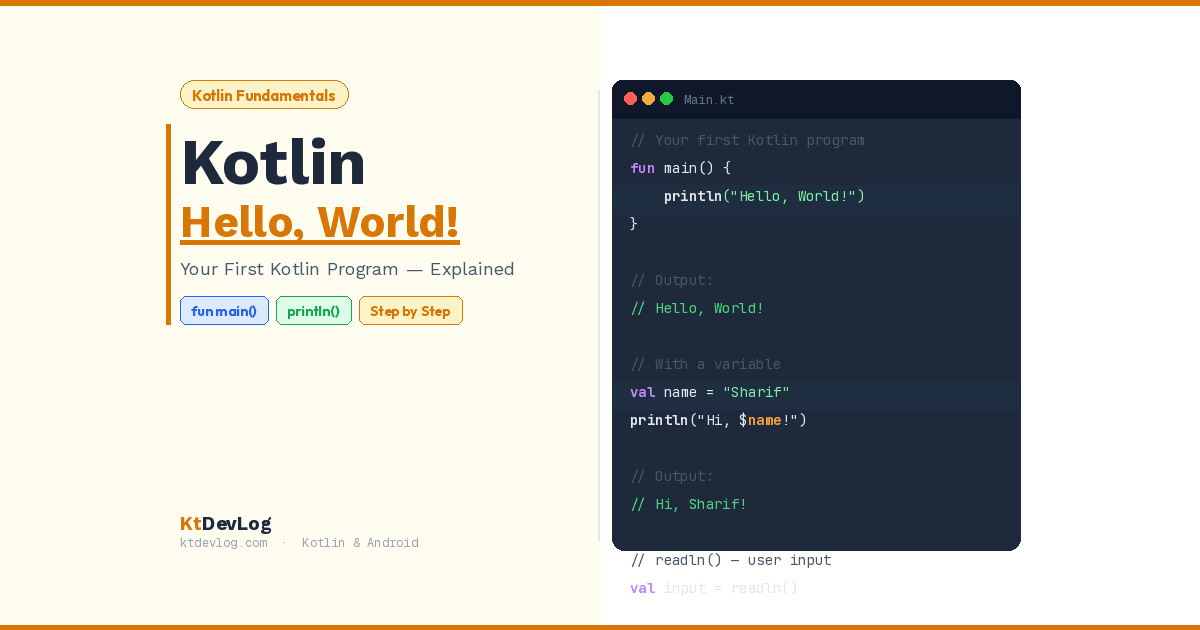
Here’s the complete program — all two lines of it:
fun main() {
    println("Hello, World!")
}// Output:
Hello, World!That’s it. That’s your first Kotlin program. Now let’s break down exactly what each piece means.
Step 1 — Understanding fun main()
The very first line of your Kotlin Hello World program is:
fun main() {This is doing three things at once, and all three matter.
fun is a Kotlin keyword that tells the compiler: “I’m about to define a function.” Every function in Kotlin starts with fun. You’ll write fun hundreds of times as you build Android apps — for click handlers, API calls, UI updates, and everything in between.
main is the name of this specific function. And it’s not just any name — main is special. It’s the entry point of every Kotlin program. When you press run, the Kotlin compiler doesn’t look for start() or begin() or run(). It looks specifically for main. If there’s no main function, nothing runs.
() are the parentheses that hold the function’s parameters — the inputs it receives when called. For main, these are empty because the program doesn’t need any input from outside to get started. In older Kotlin code (before Kotlin 1.3), you’d often see fun main(args: Array<String>) — the args parameter was used to accept command-line arguments. In modern Kotlin, the simplified fun main() with no parameters is the standard.
The opening { marks the start of the function body — everything inside the curly braces is code that runs when main is called.
Compare this to Java for a moment. In Java, your Hello World entry point looks like this:
// Java — verbose and complex for beginners
public static void main(String[] args) {
System.out.println("Hello, World!");
}In Kotlin, it’s simply:
// Kotlin — clean and readable
fun main() {
    println("Hello, World!")
}No public. No static. No void. No String[]. Kotlin removes all the ceremony that Java requires and leaves only what actually matters. That’s one of the reasons Google made Kotlin the official language for Android development.
Step 2 — Understanding println()
The second line of your Kotlin Hello World program is:
println("Hello, World!")println stands for print line. It does exactly what the name says — it prints whatever you put inside the parentheses to the output console, then moves to the next line.
The "Hello, World!" part is a String — a piece of text wrapped in double quotes. Whatever String you put inside println(), that’s what gets printed.
Let’s try a few variations to really understand how it works:
fun main() {
    println("Hello, World!")
    println("My name is Sharif")
    println("Welcome to KtDevLog!")
}// Output:
Hello, World!
My name is Sharif
Welcome to KtDevLog!Each println() call prints its text and then automatically moves to a new line. That’s the “line” part of println — it adds a line break after every print.
println() vs print()
Here’s a detail worth knowing from day one. Kotlin has two printing functions:
fun main() {
    print("Hello, ")      // Does NOT move to a new line
    print("World!")       // Continues on the same line
    println()             // Just adds a line break
    println("New line!")  // Prints and moves to next line
}// Output:
Hello, World!
New line!print() outputs text without moving to the next line. println() outputs text and automatically adds a line break. For your Hello World program — and most beginner use cases — println() is what you want.
Step 3 — The Curly Braces and Indentation
Let’s look at the complete program again with fresh eyes:
fun main() {
    println("Hello, World!")
}The { opens the function body. The } closes it. Everything between them belongs to main. Kotlin requires these curly braces to define where a function starts and ends.
The four spaces of indentation before println are not required by the Kotlin compiler — your code will run without them. But they’re a professional standard that every Kotlin developer follows. Indentation makes code readable. It shows at a glance what belongs inside what.
Think of curly braces like a room in a house. The { is the door opening. The } is the door closing. Everything indented inside is furniture in that room — it belongs there and exists within that space.
As your programs grow from two lines to two hundred lines, this structure becomes essential. Functions inside classes, loops inside functions, conditions inside loops — the curly brace system keeps everything organized and readable.
Step 4 — Running Your First Kotlin Hello World
There are three ways to run a Kotlin Hello World program. Choose the one that fits where you are right now.
Option 1 — Kotlin Playground (No Installation Needed)
The fastest way to write and run your first Kotlin Hello World is Kotlin Playground — the official browser-based editor from JetBrains. No download, no setup, no configuration. Just open the site, type your code, and click Run.
This is the perfect starting point if you want to test Kotlin immediately without installing anything.
Option 2 — IntelliJ IDEA (Best for Kotlin on Desktop)
IntelliJ IDEA is the IDE built by JetBrains — the same company that created Kotlin. It has first-class Kotlin support built right in.
To run your Hello World in IntelliJ IDEA:
- Create a new Kotlin project
- Open the
Main.ktfile that’s automatically created - Replace the contents with your Hello World code
- Click the green Run button (or press
Shift + F10)
Option 3 — Android Studio (Best for Android Development)
If your goal is Android app development, Android Studio is your IDE. It comes with Kotlin pre-installed and is optimized for building Android apps. Check out how to create your first Android project with Kotlin for a complete setup walkthrough.
For a pure Kotlin console program like Hello World, create a new project and select Kotlin as the language. Then write your main function in the MainActivity.kt file or a standalone .kt file.
Step 5 — Extending Your Hello World Program
Once you’ve run your first Kotlin Hello World successfully, the natural next step is making it slightly more interesting. Here’s a version that uses a variable — your introduction to Kotlin variables val vs var:
fun main() {
val name = "Sharif"
val site = "KtDevLog"
println("Hello, World!")
println("My name is $name")
println("Welcome to $site!")
}// Output:
Hello, World!
My name is Sharif
Welcome to KtDevLog!Notice the $name and $site inside the strings. That’s Kotlin’s string template syntax — it embeds a variable’s value directly inside a string. No concatenation with +. No String.format(). Just $variableName and Kotlin handles the rest.
This is one of those small things that makes Kotlin feel genuinely pleasant to write. Once you’re using string templates, you’ll never want to concatenate strings with + again.
Making It Interactive
Want to take it one step further? Here’s a Hello World that asks for your name:
fun main() {
println("What is your name?")
val name = readln()
println("Hello, $name! Welcome to Kotlin.")
}// Example interaction:
What is your name?
> Sharif
Hello, Sharif! Welcome to Kotlin.readln() reads a line of text input from the user. It’s the modern Kotlin way to get keyboard input — cleaner than the old readLine() function. Combined with string templates, you can build surprisingly interactive programs with just these basics.
Common Kotlin Hello World Mistakes Beginners Make
Here are the errors that catch almost every beginner at least once — knowing them in advance will save you real frustration.
Mistake 1 — Forgetting the main Function
// ❌ Wrong — nothing to run
println("Hello, World!")
// ✅ Correct — wrapped in main
fun main() {
    println("Hello, World!")
}
Kotlin needs the main function as an entry point. Code floating outside of any function won’t run.
Mistake 2 — Using Single Quotes Instead of Double Quotes
// ❌ Wrong — single quotes are for Char, not String
println('Hello, World!')

// ✅ Correct — double quotes for String
println("Hello, World!")In Kotlin, single quotes ' ' are for Char — a single character like 'A' or '7'. Double quotes " " are for String. Using single quotes around a whole sentence is a type mismatch error. If you want to know more about the difference, the guide on Kotlin data types explains Char and String in depth.
Mistake 3 — Missing Curly Braces
// ❌ Wrong — unclosed function body
fun main() {
    println("Hello, World!")
// Missing closing }

// ✅ Correct — properly closed
fun main() {
    println("Hello, World!")
}Every opening { needs a matching closing }. Missing one will give you a compilation error. Most IDEs highlight unmatched braces in red — watch for it.
Mistake 4 — Misspelling println
// ❌ Wrong — capital L, or missing 'ln'
printLn("Hello, World!")
print line("Hello, World!")

// ✅ Correct — all lowercase
println("Hello, World!")Kotlin is case-sensitive. println is all lowercase. PrintLn or Println won’t work.
What Happens Under the Hood
Here’s the insight most Kotlin Hello World guides skip entirely — what actually happens when your program runs.
When you write fun main() in a file called Main.kt, the Kotlin compiler creates a Java class called MainKt behind the scenes. Your println("Hello, World!") call internally maps to System.out.println() in Java. Kotlin is fully interoperable with Java — it compiles to the same JVM bytecode and runs on the same Java Virtual Machine.
This is why Kotlin can use any Java library, why Java code can call Kotlin code, and why migrating from Java to Kotlin is gradual rather than a complete rewrite. The two languages run on the same platform. Kotlin just gives you a far cleaner way to write the same programs.
This also explains why understanding your Kotlin Hello World is more than just running two lines of code — it’s your first glimpse into how Kotlin sits on top of the JVM and inherits all of Java’s ecosystem while shedding all of Java’s verbosity.
Frequently Asked Questions
What is a Kotlin Hello World program?
A Kotlin Hello World program is the simplest possible Kotlin program — it contains a main function and a single println() call that outputs “Hello, World!” to the console. It’s traditionally the first program written in any new language because it verifies that your setup is working and introduces the minimum required syntax to make a Kotlin program run.
What does fun main() mean in Kotlin?
fun is the Kotlin keyword for declaring a function. main is the special name that tells the Kotlin compiler “this is where the program starts.” Every Kotlin program must have a main function — it’s the entry point. When you press run, the compiler finds main and begins executing the code inside its curly braces.
What is the difference between println() and print() in Kotlin?
println() prints text and automatically adds a line break at the end, moving the cursor to the next line. print() outputs text without any line break — the next output continues on the same line. For most beginner programs, println() is what you want. Use print() when you specifically need multiple outputs to appear on the same line.
Can I run Kotlin Hello World without installing anything?
Yes. The official Kotlin Playground lets you write and run Kotlin code directly in your browser with zero installation. It’s the fastest way to test your first program. For serious Android development, you’ll eventually want Android Studio or IntelliJ IDEA, but the Playground is perfect for learning the basics.
Why doesn’t Kotlin Hello World need a class like Java?
In Java, every method must live inside a class — including main. Kotlin removes this requirement. You can write top-level functions directly in a .kt file without wrapping them in a class. The Kotlin compiler generates the necessary class behind the scenes when it compiles to JVM bytecode. This is one of the key ways Kotlin reduces boilerplate compared to Java.
Conclusion
Your Kotlin Hello World program is two lines long. But those two lines contain everything fundamental about how Kotlin works — a fun keyword, a main entry point, a println output function, curly brace structure, and a String value. Every Kotlin program you’ll ever write, no matter how complex, builds on exactly these pieces.
Run it. Break it. Change the text inside the quotes. Add a second println(). Try print() instead and see what changes. The best way to learn is to experiment — and a Hello World program is the perfect sandbox because there’s nothing complex to accidentally break.
From here, the natural next steps are understanding how Kotlin stores data with Kotlin variables — val and var, what kinds of data Kotlin works with through Kotlin data types, and how to make your programs make decisions with Kotlin control flow — if, else, and when. Each of those builds directly on what you just learned here.
Every Kotlin app in the world — every messaging app, every navigation app, every game — started with someone typing fun main() for the first time. You just joined that group.