
Have you ever written a Kotlin class, then spent the next ten minutes writing toString(), equals(), hashCode() — all just to make it usable? Yeah. Most of us have been there.
Here’s the thing: Kotlin noticed that problem and built a fix right into the language. It’s called a data class, and once you use it for the first time, you’ll wonder how you ever lived without it.
In this guide, I’m going to show you exactly how to create a Kotlin data class, what copy() and toString() actually do under the hood, and why this one little keyword will save you a serious amount of time compared to writing standard classes the old way.

Table of Contents
What Is a Kotlin Data Class?
Think of a regular class like a blank notebook. It can do anything — but you have to set up every single page yourself.
A data class is more like a pre-printed form. You fill in the fields, and Kotlin automatically handles all the boring paperwork behind the scenes.
When you add the data keyword in front of a class declaration, the Kotlin compiler steps in and auto-generates five things for you:
toString()— prints a readable version of your objectequals()— compares two objects by their values, not memory addresshashCode()— used when storing objects in sets or mapscopy()— creates a modified copy of your objectcomponentN()— enables destructuring declarations
You don’t write any of that. The compiler handles it all. That’s the entire point.
How to Create a Kotlin Data Class
Creating a data class is almost identical to creating a regular class. The only difference? You add the word data before class.
Here’s a simple example:
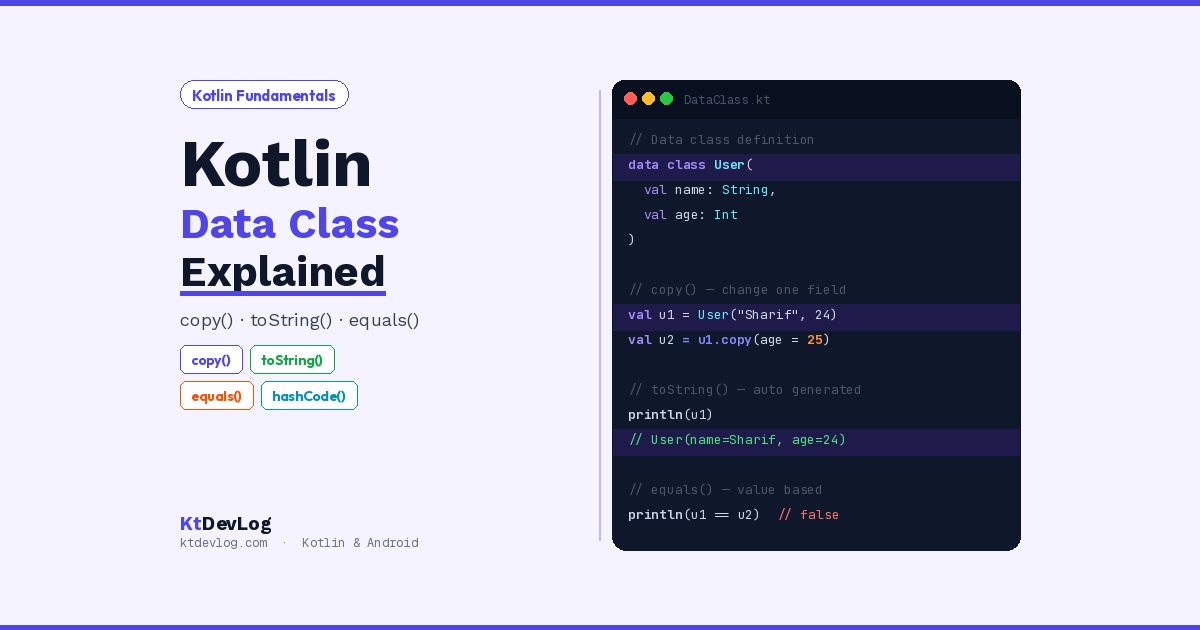
data class User(val name: String, val age: Int, val email: String)That’s it. One line. And with that single line, Kotlin has already generated a fully functional toString(), equals(), hashCode(), and copy() for you.
fun main() {
    val user = User(name = "Sharif", age = 24, email = "sharif@ktdevlog.com")
    println(user)
}Output:
User(name=Sharif, age=24, email=sharif@ktdevlog.com)See that? You didn’t write a single toString() method. Kotlin already knew what to do.
Rules You Need to Know
Before you go data-classing everything in your project, there are a few rules the Kotlin compiler enforces:
- The primary constructor must have at least one parameter
- Every parameter must be marked as
valorvar - A data class cannot be abstract, open, sealed, or inner
- It can implement interfaces — that’s totally fine
These aren’t arbitrary restrictions. They exist because the compiler needs to know exactly which properties to use when generating all those automatic functions. No properties in the constructor? Nothing to generate.
Understanding toString() — No More Ugly Output
Let me show you the problem that toString() solves.
Take a standard class first:
class Product(val name: String, val price: Double)

fun main() {
    val p = Product("Keyboard", 49.99)
    println(p)
}Output:
Product@6d06d69cWhat is that? That’s a memory address. Completely useless for debugging. If you’re trying to log a user object or print order details during testing, that gibberish tells you absolutely nothing.
Now let’s do the same thing with a data class:
data class Product(val name: String, val price: Double)

fun main() {
    val p = Product("Keyboard", 49.99)
    println(p)
}Output:
Product(name=Keyboard, price=49.99)Clean. Readable. Instantly useful.
In real Android development, I use toString() constantly when logging API responses, debugging ViewModel state, or tracing data through a flow. Without a data class, you’d have to write this yourself every single time — and keep updating it every time you add a new property. With a data class, it just works.
What If You Want a Custom toString()?
Here’s something most guides skip: you can still override toString() in a data class if you want a different format.
data class Product(val name: String, val price: Double) {
    override fun toString(): String {
        return "$name costs $$price"
    }
}Output:
Keyboard costs $49.99Kotlin respects your override. If you define it yourself, the compiler won’t generate one. You’re always in control.
Understanding copy() — The Feature You’ll Use Every Day
This one is genuinely one of my favourite parts of Kotlin. The copy() function lets you create a new object based on an existing one, changing only the fields you specify. Everything else stays exactly the same.
Here’s the scenario. You have a User object:
data class User(val name: String, val age: Int, val email: String)

fun main() {
    val originalUser = User(name = "Sharif", age = 24, email = "sharif@ktdevlog.com")

    val updatedUser = originalUser.copy(email = "new@ktdevlog.com")

    println(originalUser)
    println(updatedUser)
}Output:
User(name=Sharif, age=24, email=sharif@ktdevlog.com)
User(name=Sharif, age=24, email=new@ktdevlog.com)
The name and age carried over automatically. Only email changed. And critically — the original object was not touched. copy() always creates a brand new object.
Why copy() Matters in Android Development
In modern Android apps — especially when you’re using Jetpack Compose or a ViewModel with StateFlow — your UI state is often represented as a single data class.
data class LoginUiState(
    val email: String = "",
    val password: String = "",
    val isLoading: Boolean = false,
    val errorMessage: String? = null
)When the user types their email, you don’t rebuild the entire state from scratch. You just copy:
val updatedUser = originalUser.copy(
    age = 25,
    email = "updated@ktdevlog.com"
)As many fields as you need. In one call. No problem.
Data Class vs Regular Class — The Real Difference
Let me put this side by side so you can see exactly what Kotlin is saving you from.
Here’s a Person class written the standard way, with all the methods you’d need to make it properly functional:
class Person(val name: String, val age: Int) {

    override fun toString(): String {
        return "Person(name=$name, age=$age)"
    }

    override fun equals(other: Any?): Boolean {
        if (this === other) return true
        if (other !is Person) return false
        return name == other.name && age == other.age
    }

    override fun hashCode(): Int {
        return 31 * name.hashCode() + age
    }

    fun copy(name: String = this.name, age: Int = this.age): Person {
        return Person(name, age)
    }
}That’s roughly 20 lines of boilerplate — and you have to update every one of those methods manually every time you add or rename a property.
Now here’s the exact same thing as a data class:
data class Person(val name: String, val age: Int)One line. Identical functionality. This is why Kotlin developers love data classes — it’s not just convenience, it’s genuinely safer. Forget to update your manually-written equals() after adding a new field? You’ve just introduced a subtle bug. With a data class, the compiler regenerates everything automatically every time.
Most guides stop there. But here’s the insight they miss: data classes also enforce value-based equality by default. Two Person objects with the same name and age are considered equal — even if they’re different instances in memory. That’s not how regular classes behave, and it’s a critical difference when you’re working with lists, sets, or comparing API responses.
data class Person(val name: String, val age: Int)

fun main() {
    val p1 = Person("Sharif", 24)
    val p2 = Person("Sharif", 24)
    println(p1 == p2) // true — compares by value
}With a regular class, that same comparison would print false — because it compares memory addresses, not values.
Where to Use Data Classes in Real Android Projects
Data classes show up constantly in real Kotlin and Android codebases. Here are the three most common places you’ll use them:
API Response Models — When you fetch data from a server, you map the JSON into a data class. Libraries like Retrofit and Gson work seamlessly with them.
data class ApiUser(
    val id: Int,
    val username: String,
    val email: String
)UI State Holders — As mentioned earlier, representing screen state as a single data class and using copy() to update it is the standard pattern in Jetpack Compose apps. You can read more about how this works inside your first Jetpack Compose function.
Database Entities with Room — When working with Room, your entity classes are often data classes, which makes querying and comparing records significantly cleaner.
If you’re just getting started with Android projects, check out how to create an Android project with Kotlin first — data classes will make a lot more sense once you have a project to put them in.
Frequently Asked Questions
What is a data class in Kotlin?
A data class is a special class marked with the data keyword. It’s designed to hold data, and the Kotlin compiler automatically generates toString(), equals(), hashCode(), copy(), and componentN() functions based on the properties you define in the primary constructor. You get all of that without writing a single extra line of code.
What does copy() do in a Kotlin data class?
The copy() function creates a new instance of your data class with some properties changed. You specify only the fields you want to update — everything else is copied over automatically from the original object. Importantly, the original object is never modified. This makes copy() perfect for immutable state management in Android apps.
Can I override toString() in a Kotlin data class?
Yes, absolutely. If you write your own toString() inside a data class body, Kotlin will use yours instead of generating one. The same applies to equals() and hashCode(). You always have the option to customise the auto-generated behaviour when you need something specific.
What’s the difference between a data class and a regular class in Kotlin?
A regular class only has what you explicitly write. A data class gets toString(), equals(), hashCode(), copy(), and componentN() generated automatically by the compiler. Regular classes also use reference equality by default — two objects are only equal if they point to the same memory location. Data classes use value equality — two objects are equal if their properties match. That’s a big practical difference.
When should I NOT use a data class?
Don’t use a data class when your class needs to be abstract, open, sealed, or inner. Also avoid them for classes that have complex behaviour, heavy business logic, or when identity-based equality (reference comparison) is important for your use case. For pure data holders — API models, UI state, database entities — data classes are almost always the right choice.
Conclusion
The Kotlin data class is one of those features that seems small until you feel the difference. You stop writing the same twenty lines of boilerplate over and over. Your println() statements actually tell you something. Your copy() calls make state management clean and readable.
If you’re coming from Java, this is one of the moments where Kotlin genuinely earns its reputation for being a more productive language. One word — data — and the compiler handles a week’s worth of repetitive typing for you.
Start using data classes for your API models, your UI state, and your Room entities. Get comfortable with copy(). Let toString() do the heavy lifting when you’re debugging. Once these click, they become second nature — and you’ll never want to go back to writing all that boilerplate by hand.
Next up, take a look at Kotlin variables — val vs var to deepen your understanding of how data is stored in Kotlin, which pairs directly with everything you just learned about data classes.
The best Kotlin code isn’t the code you write — it’s the code the compiler writes for you.